Hey there,
It’s Jake here, and if you’ve ever stepped into my office here at the cable shop (or just spent 10 minutes scrolling through product pages of any decent electrical supply site), you know this question comes up all the time: “What’s the real difference between a ribbon cable and a regular cable?” Cable
I get it—both are wires, right? So why does one have a silly name like “ribbon” and the other’s just… a regular cable? And more importantly, when does one work and the other’s gonna leave you scrambling at 2 a.m. when your factory line goes down or your home theater refuses to connect? I’ve been answering this stuff for 12 years now, so let’s break it down like I do for our lead electricians and the startup team that stops by every Wednesday to pick up parts for their prototype boards. No fancy jargon, just the stuff you actually need to know.
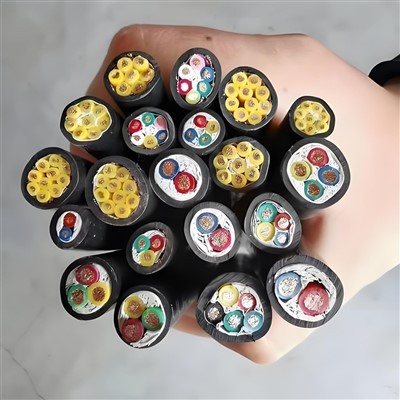
First, let’s start with the basics of both, because that’s where all the differences hide. Let’s talk regular cables first—we call them “individual conductor cables” around here, but “regular” is fine for now. A standard regular cable is basically one (or sometimes two, if it’s a twisted pair) solid or stranded wire, wrapped in its own little layer of insulation, and then all those single insulated wires get bundled together inside a single outer jacket. Think of a standard power cord: there’s a hot wire, a neutral wire, maybe a ground wire, each with their own plastic coating, all squeezed into that black outer sleeve. Or a thick HDMI cable—you can peel back the outer jacket and see separate insulated conductors inside, each doing their own thing.
Now, ribbon cables? Those are way different. If you’ve ever taken apart an old printer, a vintage desktop computer, or a used gaming console, you’ve seen ’em: flat, thin, flexible, usually light gray or blue, with rows of tiny, evenly spaced conductor wires sitting side-by-side, all embedded in the same flat strip of plastic insulation. No individual sleeves, no separate bundles—just a single ribbon of insulation with conductors running straight along its length, equally spaced. The most famous one? The old floppy drive cable—you know, the one with that twist in it to distinguish drive A and drive B. I still see a few of those coming in for repairs from people fixing retro PCs, and every time I do, I remember the first time I heard someone call a ribbon cable “that flat spaghetti wire” in a job site. Fair, that’s a pretty good description.
The first big difference is how they’re made, and that affects everything else. Regular cables are built for flexibility when they’re bundled or when you need to route them around sharp corners over long runs. Their individual insulation keeps conductors separated even if they rub against each other or other parts, which is why you see them for power distribution or big home theater setups where you might snake wires through walls or around furniture. Ribbon cables? They’re built for dense, parallel data over short distances. All those conductors are right next to each other, so you can fit a lot of wires in a tiny amount of space—way more than you could in a regular cable of the same width. That’s why they’re perfect for connecting things like a motherboard to a hard drive, a printer to its controller board, or old arcade game components—tight spaces where you don’t have room for a big bundle of separate wires.
But here’s where the science part matters, not just the looks. Both are conductors, but ribbon cables have a quirk that regular cables don’t: their side-by-side conductors mean they’re prone to something called “crosstalk.” Crosstalk is when a signal from one conductor leaks into the one next to it, like if someone’s whispering in your ear and you can hear the person next to them. That’s not a huge deal for low-speed, short-distance stuff like connecting a printer to a PC, but if you tried to use a ribbon cable for high-speed internet or long power runs, that signal leakage would make your data corrupt or your power inefficient. Regular cables, especially twisted pairs or coaxial ones, are designed to minimize crosstalk by separating conductors, twisting them, or adding shielding, so they work great for longer distances and higher power or data.
Another thing: flexibility vs. flatness. Ribbon cables are thin and flat, so they lay smooth against a surface, which is why they’re so popular in tight electronics enclosures—like inside a laptop, where you don’t want a bunch of round, bulky cables taking up space. But if you try to bend a ribbon cable too sharply or roll it up for a long run, it can crease or kink, damaging the internal conductors. Regular cables, with their individual insulated wires bundled together, are way more flexible for bending around curves or being routed in irregular spaces. You can coil a regular cable up and store it for months, no problem—try that with a ribbon cable and you’ll probably end up with a crimped conductor that stops working.
We also get asked a lot about shielding, and that’s another key difference. A lot of regular cables, especially the ones used for audio, video, or sensitive data, have an extra layer of shielding—aluminum foil or braided metal—wrapped around the conductors to block outside interference from things like power lines, microwaves, or other electronics. Most ribbon cables are unshielded because their parallel construction makes full shielding tricky, and they’re usually used in spaces where there’s not a lot of outside interference (like inside a closed electronics case). If you need a ribbon cable for a noisier environment, you can get a shielded version, but it’s less common and more expensive than a shielded regular cable.
Now, let’s talk about real-world use cases, because that’s what matters most to our customers. If you’re running power to a shop tool, you need a regular cable. You wouldn’t use a ribbon cable for a 110V drill, because that requires a thick conductor to handle the current, and ribbon cables aren’t rated for high power. Ribbon cables are for data and low-power connections inside small devices: connecting a keyboard to a laptop, a camera sensor to its processing board, or retro tech projects. I had a customer last month who was building a custom arcade cabinet and needed a ribbon cable to connect the control panel buttons to the main board—flat, thin, and exactly the right number of conductors for the buttons and joystick, so it was way easier to route than a bundle of regular cables.
Another common question: can you use one instead of the other? Sometimes, but you’re taking a risk. A few years back, a college intern came to me panicking because he’d ordered ribbon cables instead of regular ones for his dorm’s Ethernet setup. He’d bought the wrong thing, and we had to rush him the right regular Ethernet cables because the ribbon ones couldn’t handle the high-speed data over the 50-foot run he needed—his internet was gonna be super slow if he tried to use the ribbon ones. Conversely, a guy who was fixing his old PS2 tried using a regular cable for the controller port, and it didn’t fit the tiny slot—ribbon cables have that specific flat, narrow form factor that only works for their designed ports.
Now, I know a lot of this sounds like tech specs, but here at our shop, we see what happens when people mix these up. Last year, a local bakery called us in the middle of the night because their commercial oven’s control panel stopped working. The electrician they’d hired used a regular cable to connect the panel to the temperature sensor, not realizing the space behind the panel was super tight—he’d crammed the round regular cable into the small gap, and it got pinched by the oven door every time it closed. The ribbon cable we brought in was thin enough to fit, and it didn’t get pinched, so they were back up and running by 6 a.m. That’s the kind of thing that makes me glad I know the difference beyond the textbook.
Let’s wrap this up, no fancy terms. The core differences boil down to four main points:
- Construction: Regular cables have individually insulated bundled wires; ribbon cables have flat, side-by-side conductors in a single insulation strip.
- Purpose: Regular cables are for power, long runs, or high signal applications; ribbon cables are for dense, short-distance data connections in tight spaces.
- Performance: Regular cables minimize crosstalk, handle higher power, and are more flexible for irregular routing; ribbon cables save space but are prone to crosstalk and kinking.
- Fit: Regular cables have round, bulky profiles; ribbon cables are flat and narrow for tight ports and enclosures.
If you’re still not sure which one you need, that’s why we’re here. We don’t push one over the other—we listen to what you’re building or fixing, ask a few quick questions (how long is the run? how much power/data? is there a tight space to fit it?), and point you to the right product. I’ve been in this business long enough that I don’t just sell cables—I help people avoid the 2 a.m. panic of a broken project or a downed line.
If you’re working on a prototype, upgrading your home theater, fixing an old device, or need cables for a commercial project, we’ve got the ribbon and regular cables you need, in the lengths and sizes that fit your job. No overpriced stuff, no confusing product pages—just honest advice from someone who’s been troubleshooting this exact question for over a decade. Reach out to our team to chat through your project, and we’ll make sure you get the right cable for the job, no guesswork.

Let’s get your project wired up right.
Cable References:
- Klein, T. (2021). Electrical Cable Fundamentals for Installers. McGraw-Hill Education.
- Williams, A. (2019). “Ribbon Cables vs. Round Cables: Performance and Application Differences”. Journal of Electronic Manufacturing.
- National Electrical Manufacturers Association (NEMA). (2022). Standard for Conductor and Cable Construction.
Hebei Liangyu Cable Co., Ltd.
We’re well-known as one of the leading cable manufacturers and suppliers in China, specialized in providing high quality customized service. We warmly welcome you to buy durable cable made in China here and get pricelist from our factory. For price consultation, contact us.
Address: Yanbai Industrial Zone, Jiajiakou Town, Ningjin County, Xingtai City, Hebei Province
E-mail: 18932990441@163.com
WebSite: https://www.liangyucable.com/
